Integrating a Forex Real-Time Market Data API: How to Avoid Displaying Stale Quotes After a WebSocket Reconnection
TickDB Research ·
Summary: After integrating real-time market data into a forex dashboard, exchange-rate monitor, or price alert, when should the page resume showing that it is “updating normally” once the connection is restored? This article is aimed at developers responsible for these features. Using TickDB’s actual EUR/USD subscription as an example, it walks through the full process of connecting, subscribing, deliberately disconnecting, and reconnecting, and explains how quote timestamps, heartbeats, and page status work together to keep teams from being misled by stale data. Product managers and technical colleagues can use the recovery sequence and acceptance checklist in the article to jointly review the page behavior.
The connection indicator on a market data page turns green again, but EUR/USD is still stuck at its pre-disconnect price. If a price alert resumes along with the connection, it may still be using the previous record. Users care about “how current is this quote?” but the page only tells them “the network is connected again.”
During integration, connection status and quote status should be handled separately: resubscribe to the target currency pair, receive a new quote with a valid timestamp, and only then restore the normal status indicator. TickDB’s WebSocket market data subscription continuously provides EURUSD quotes and their quote timestamps. The following real run record walks through this recovery path in full.
The Federal Reserve’s official website lists the next FOMC meeting for October 27–28, 2026. Forex monitoring ahead of an important event should do more than configure price alerts; it should also check in advance how the page will recover after a data outage. Federal Reserve Meeting Calendar
Figure 1: After the connection recovers, the target quote and its timestamp must still be checked.
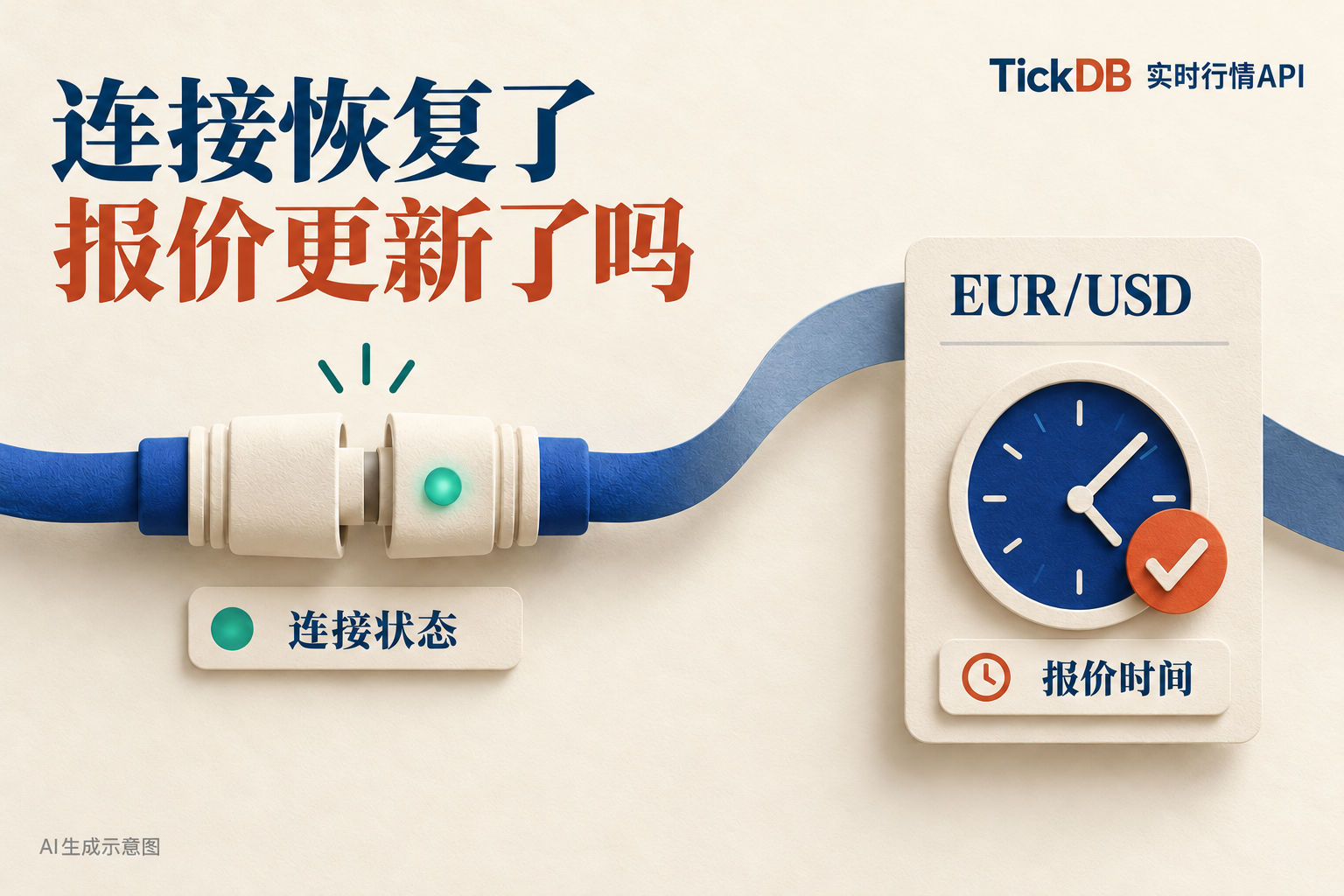
One-Minute Overview: Why Wait for a Quote After the Indicator Turns Green?
The recovery process for a market data page can be broken down into the following moments:
| What the client has received | What the page knows | What to check next |
|---|---|---|
| The new connection opens | The connection channel has been established | Whether EURUSD has been resubscribed |
| A subscription confirmation or heartbeat response | The request received a response | Whether a quote for the target currency pair has arrived |
| An EURUSD quote | There is data available for inspection | Whether the timestamp has advanced and falls within the page’s permitted time range |
The product requirements can also be stated more precisely: retain the last price and quote timestamp during a disconnection and display “Disconnected”; after reconnecting, first display “Waiting for EURUSD Quote”; then return to the normal status once the quote passes validation.
This lets users see where the data stopped, while giving technical colleagues clear recovery criteria.
Test Run: From a Deliberate Disconnection to Receiving a New Quote
On October 22, 2026, we used Node.js 26.0.0 and ws 8.22.0 to subscribe to TickDB’s EURUSD market data. This final run lasted approximately 25 seconds, received 62 quotes that passed basic validation, and went through two connection attempts and one deliberate client-side disconnection. The script’s maximum runtime was set to 90 seconds.
Below is the recovery sequence captured in the logs. All times use UTC; add 8 hours for Beijing Time.
| Client event | UTC time |
|---|---|
| Requested a deliberate disconnection | 13:57:39.322 |
| New connection opened | 13:57:42.018 |
| Sent the EURUSD subscription again | 13:57:42.018 |
| Received the subscription confirmation | 13:57:42.381 |
Recorded the application-layer pong event | 13:57:42.383 |
| Received a new quote that passed the recovery check | 13:57:42.509 |
Before the deliberate disconnection, the last quote was 1.11953. The first new quote to pass validation after recovery was 1.11952, with a quote timestamp of 13:57:42.469Z.
This disconnection was initiated by the test script. The raw messages and event logs were retained, making it possible to inspect what arrived first after the reconnection and why the page returned to its normal status.
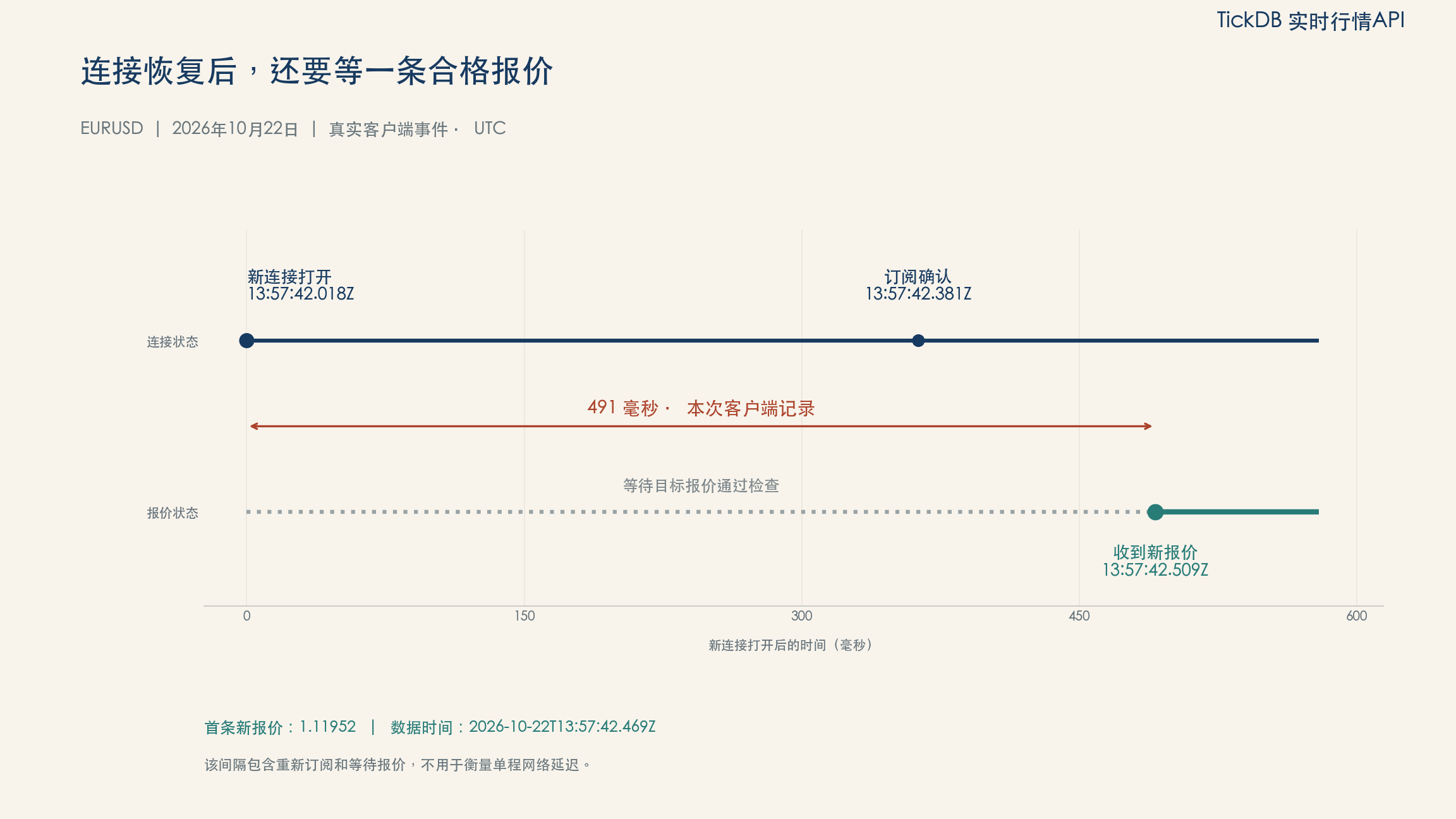
Figure 2: It took 491 milliseconds from opening the new connection to receiving a new quote that passed validation, covering the client-side process of resubscribing and waiting for a quote.
Start by Integrating the EUR/USD Quote
TickDB’s current documentation gives the following WebSocket endpoint:
wss://api.tickdb.ai/v1/realtime
Authentication uses the api_key query parameter. Read the key from the backend’s secure environment, and do not output the full connection URL, including the key, in logs. TickDB Connection Guide
After each connection opens successfully, the sample script sends the following subscription message:
{
  "cmd": "subscribe",
  "data": {
    "channel": "ticker",
    "symbols": ["EURUSD"]
  }
}
It must also be sent again after the connection is re-established. The example does not assume that the subscription from the previous connection remains active.
Understanding the First Quote
The following is the first EURUSD market data message saved during the final run:
{
  "cmd": "ticker",
  "data": {
    "symbol": "EURUSD",
    "type": "forex",
    "last_price": "1.11950",
    "bid_price": "1.11950",
    "ask_price": "1.11951",
    "spread": "0.00001",
    "timestamp": 1792677449581
  }
}
Here, timestamp is a millisecond timestamp corresponding to 2026-10-22T13:57:29.581Z; the client received the message at 13:57:29.745Z.
Both timestamps are worth retaining. The first is the time carried by the quote, while the second is when the message reached the client. The difference between them also includes clock skew and link processing, so it cannot be treated directly as one-way network latency.
Store prices as the returned strings. Pages that require two-sided quotes must also retain the bid price bid_price and ask price ask_price separately. Treat these forex market data messages as quote updates; do not rewrite them as completed forex transactions. TickDB Market Data Subscription Documentation
The Price May Remain Unchanged While Updates Continue
To determine whether data is updating, it is easy to focus only on whether the price changes.
The raw records contain the following two consecutive quotes:
| Price | Quote’s UTC timestamp | Client receipt time in UTC |
|---|---|---|
| 1.11952 | 13:57:30.393 | 13:57:30.440 |
| 1.11952 | 13:57:30.481 | 13:57:30.527 |
The price is unchanged, but the quote timestamp has advanced. To users, the number on the screen has not changed; to the program, however, it has received a new observation.
Monitoring should therefore record both the message time and the quote time. Looking only at “how long has this number gone without changing” makes it difficult to determine whether the connection is healthy and whether quotes are still updating.
Why Heartbeats Cannot Substitute for Quotes After Reconnection
In this run, after the new connection opened, the client received the subscription confirmation and application-layer pong before receiving the EURUSD quote.
The sample script continued waiting and checked whether the quote met the following conditions:
- The symbol is
EURUSD; - The price and millisecond timestamp are available;
- The quote timestamp is later than the final quote received before the deliberate disconnection;
- It falls within the time range configured in the example.
The first quote after recovery had a quote timestamp of 13:57:42.469Z and reached the client at 13:57:42.509Z; recovery was then recorded.
A heartbeat response does not update the quote displayed on the page. The WebSocket protocol’s own Ping/Pong control frames must be distinguished from TickDB’s JSON ping and pong messages. This pong in the logs is an application-layer message; the target currency pair’s price still comes from the ticker message. IETF WebSocket Protocol, TickDB Heartbeat Documentation
Old Quotes Continue to Age When No New Messages Arrive
If the program checks the time only when it receives a message, the check will stop running whenever messages stop arriving. The final quote may remain marked as “normal” indefinitely.
In this run, the script reassessed the current display status every second. Even if the connection remained open and no new messages arrived, the old quote would move to the appropriate warning once it exceeded the configured age.
This example sets the quote-expiration threshold at 5 seconds. It also allows a 5-second tolerance if the quote timestamp is ahead of the local clock, preventing clock skew from causing a false determination. These are parameters used in the example; actual projects should adjust them according to the dashboard, alert rules, and clock environment.
The page can continue displaying the last price while also showing the quote timestamp and a waiting notice. Users can then see both the last recorded observation and the current status.
Scheduling Wait Intervals During Consecutive Retries
TickDB’s current connection guide uses a phased wait schedule:
| Retry attempt | Wait time per attempt |
|---|---|
| Attempts 1–3 | 1 second |
| Attempts 4–6 | 5 seconds |
| Attempt 7 and later | 30 seconds |
The example schedules retries in this order, resets the counter after a connection opens successfully, and resubscribes. Authentication or permission errors must be addressed at their source; repeated retries cannot resolve a permissions problem. TickDB Reconnection Guide
The logs also assign each connection an independent number, making it easier to view messages from before and after the disconnection separately.
Preserve the Gap Even After Quotes Recover
The CSV stores the connection number, receipt time, quote time, price, and validation status for each record. The event log separately records the times of the deliberate disconnection, connection opening, subscription transmission, and receipt of a new quote.
These records can be used to identify outage windows in a dashboard or downstream data. Receiving quotes again later does not automatically backfill the updates that occurred during the gap.
For example, only the two observation points 1.11953 before the disconnection and 1.11952 after recovery can be compared. Those two points alone cannot reconstruct every change that occurred in between, identify the exact moment when the price crossed a particular threshold, or reveal precisely how many messages were missed.
When historical candlestick data is needed, query the corresponding time window separately and inspect the results. Candlesticks aggregate data over a period; even after the candlestick data is added, the record of the interrupted real-time subscription must still be retained.
Page Acceptance Checklist for Product and Technical Teams
| Checkpoint | Expected page behavior | Verification focus |
|---|---|---|
| Connection interruption | Retain the last price and quote timestamp and display an interruption notice | Do not continue displaying the final record as actively updating |
| New connection opens | Display a notice indicating that the page is waiting for a quote for the target currency pair | Confirm that the subscription was sent again |
| Only a confirmation or heartbeat arrives | Continue waiting for a quote | Do not clear the notice merely because a control message arrived |
| A new quote arrives | Update the status after checking the symbol and quote timestamp | Save both the quote timestamp and receipt time |
| The connection is healthy, but no new quote arrives for an extended period | Adjust the notice according to the application’s configuration | Keep the time check running continuously |
| Subsequent review | Identify the outage window | Do not treat the two endpoints surrounding recovery as the entire event |
This table can be placed directly into the requirements document. First define what the page should communicate to users, and then have the technical implementation perform the corresponding checks. This makes acceptance easier than specifying only that “disconnection and reconnection are supported.”
Frequently Asked Questions
When Integrating Forex Real-Time Market Data for the First Time, Where Should I Start?
Start by subscribing only to EURUSD. Confirm that you receive a subscription response and a genuine ticker message before expanding to additional currency pairs. Refer to the current documentation and actual responses for specific account permissions and available symbols.
The Connection Has Recovered, but No EURUSD Quote Arrives. What Should I Do?
Keep the page in the waiting state and check, in order, the subscription sent, the confirmation message, the returned symbol, server-side errors, and the quote timestamp. Neither a heartbeat nor data for another currency pair should clear the waiting notice for EURUSD. The waiting state should remain until the target quote passes validation or the page explicitly changes to an error status.
How Do Current Snapshots or Historical Trends Fit into This Process When Needed Later?
Query a market data snapshot or historical candlesticks separately according to the page’s task, retaining each result’s time and purpose. A snapshot can be used to inspect the state available at a particular point in time, while historical data can be used to review the corresponding window. Continue retaining the subscription interruption records so that the data’s provenance can be explained.
Write the Recovery Criteria into the Product Requirements
After forex market data is integrated, the page should clearly explain what has been subscribed, what was received last, and why the status returned from waiting to normal.
This test run captured the complete sequence: the connection reopened, the client subscribed again, and an EURUSD quote then arrived with an advanced quote timestamp and passed validation. By comparing the recovery sequence with the timeline, the team can define when the page should recover as an acceptance criterion.
Run the same test with your own currency pairs before deciding when the dashboard and alerts should recover. Users will be better able to judge how to use the current data when the connection indicator and quote timestamp are considered together.
Data recorded on October 22, 2026, for demonstrating market data processing. This does not constitute investment advice.
References
- TickDB: WebSocket Connection and Reconnection Guide, Market Data Subscription, Heartbeat Messages
- IETF: [Definition of Ping/Pong Control Frames in RFC 6455]
- Federal Reserve: [FOMC Meeting Calendar]