Integrate a Stock API in Python: Fetch Quotes, Validate Responses, Preserve Timestamps
TickDB Research ·
Integrate a Stock API in Python: Fetch Quotes, Validate Responses, Preserve Timestamps
Summary: How do you turn a stock API response into a usable quote display? Keep the key on the server, validate the response, match records by symbol, and show the price with its quote time. A live TickDB request for AAPL.US and MSFT.US returned both symbols successfully, but its top-level quote timestamps were older than its pre-market timestamps. The runnable Python example below makes that distinction visible and handles missing or malformed records.

A useful first integration has a small, testable goal: request two stocks and produce one result for each, including the price, quote timestamp, and validation status. Start with a single REST snapshot. Once the data is interpreted correctly, the same parsing layer can feed a watchlist or a backend endpoint.
TickDB supplies the market data in this example. The client uses its documented ticker endpoint; the validation and output rules are application code. An OK result means the record passed these checks. It does not certify that the price is fresh enough for every use case.
1. Set up the request
Use Python 3.10 or later. The example uses the standard library, so there are no third-party packages to install. Create an API key in the provider dashboard and confirm that the account has access to the requested instruments. Keep that key in the server environment, away from frontend bundles and published notebooks.
The request uses X-API-Key authentication, symbols=AAPL.US,MSFT.US, and type=stock. The ticker endpoint accepts up to 50 symbols per request. This tutorial fixes the watchlist at two symbols so that request construction and response handling remain easy to inspect.
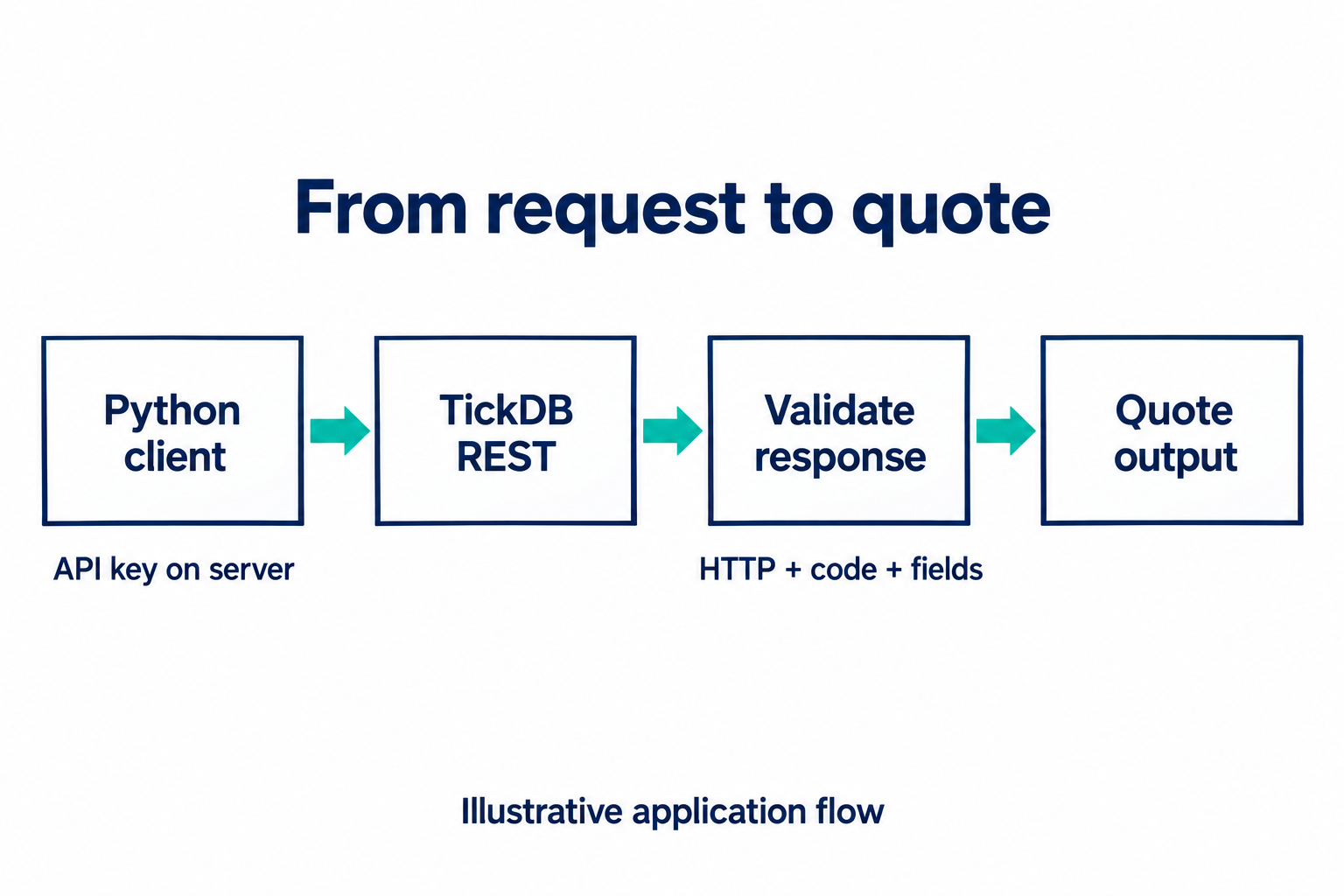
Figure 1. Application flow for a single snapshot request. This is a design illustration, not a service architecture or performance measurement.
2. Fetch and validate the response
Save the following complete program as stock_quote.py. It checks HTTP errors in the request layer and the API business code in the parser. These are separate checks: receiving JSON is not sufficient evidence of a successful data request.
The parser uses Decimal for price validation and converts documented millisecond timestamps to UTC. It rejects duplicate or unexpected symbols, marks absent records as MISSING, and marks unusable required fields as INVALID. Optional fields such as bid, ask, or volume are not needed for this initial display.
import argparse
import json
import os
from datetime import datetime, timezone
from decimal import Decimal, InvalidOperation
from pathlib import Path
from urllib.error import HTTPError, URLError
from urllib.parse import urlencode
from urllib.request import Request, urlopen

SYMBOLS = ['AAPL.US', 'MSFT.US']
ENDPOINT = 'https://api.tickdb.ai/v1/market/ticker'


def fetch():
    key = os.environ.get('TICKDB_API_KEY', '').strip()
    if not key:
        raise ValueError('Set TICKDB_API_KEY before a live request')
    query = urlencode({'symbols': ','.join(SYMBOLS), 'type': 'stock'})
    req = Request(ENDPOINT + '?' + query,
                  headers={'X-API-Key': key})
    try:
        with urlopen(req, timeout=15) as response:
            return json.load(response)
    except HTTPError as exc:
        detail = 'HTTP ' + str(exc.code)
        if exc.code == 429:
            detail += '; Retry-After=' + str(exc.headers.get('Retry-After'))
        raise ValueError(detail) from None
    except (URLError, TimeoutError):
        raise ValueError('Network request failed; check connectivity') from None


def normalize(payload):
    if not isinstance(payload, dict):
        raise ValueError('Expected a response object')
    if str(payload.get('code')) != '0':
        raise ValueError('API code=' + str(payload.get('code')))
    rows = payload.get('data')
    if not isinstance(rows, list):
        raise ValueError('Expected data array')
    by_symbol = {}
    for row in rows:
        if not isinstance(row, dict):
            raise ValueError('Expected quote object')
        symbol = row.get('symbol')
        if not isinstance(symbol, str) or symbol not in SYMBOLS:
            raise ValueError('Unexpected symbol')
        if symbol in by_symbol:
            raise ValueError('Duplicate symbol: ' + symbol)
        by_symbol[symbol] = row
    result = []
    for symbol in SYMBOLS:
        row = by_symbol.get(symbol)
        if row is None:
            result.append({'symbol': symbol, 'status': 'MISSING'})
            continue
        try:
            price = Decimal(str(row['last_price']))
            ts = row['timestamp']
            if not price.is_finite() or price <= 0:
                raise ValueError('Invalid stock price')
            if type(ts) is not int or ts <= 0:
                raise ValueError('Invalid millisecond timestamp')
            stamp = datetime.fromtimestamp(ts / 1000, timezone.utc)
        except (KeyError, InvalidOperation, ValueError, OverflowError, OSError):
            result.append({'symbol': symbol, 'status': 'INVALID'})
            continue
        result.append({'symbol': symbol, 'status': 'OK',
                       'last_price': str(price),
                       'quote_time_utc': stamp.isoformat()})
    return result


def main():
    parser = argparse.ArgumentParser()
    parser.add_argument('--input', help='Replay a saved API JSON response')
    args = parser.parse_args()
    try:
        payload = (json.loads(Path(args.input).read_text())
                   if args.input else fetch())
        print(json.dumps(normalize(payload), indent=2))
    except (ValueError, OSError) as exc:
        parser.exit(1, 'Error: ' + str(exc) + '\n')


if __name__ == '__main__':
    main()
On macOS or Linux, run it from the directory containing the file:
export TICKDB_API_KEY='YOUR_API_KEY'
python3 stock_quote.py
Replace the placeholder locally. For a deployed application, inject the key through its secret configuration. The program makes one request and exits; it does not implement a refresh loop or automatic retries.
3. Read an actual response before adding a UI
For this article, a live TickDB MCP get_ticker request used the same symbols and product type. It ran on October 27, 2026, between 10:11:04 and 10:11:05 UTC, and returned code: 0 with both records. The following values are selected directly from that response, not simulated prices:
| Symbol | Top-level last_price | Top-level timestamp (UTC) |
|---|---|---|
| AAPL.US | 343.91 | 2026-10-26 20:00:01 |
| MSFT.US | 532.6 | 2026-10-26 20:00:00 |
The same response also contained pre_market_quote.last_done values of 342.65 for AAPL.US and 528.08 for MSFT.US. Their timestamps were October 27 at 10:11:03 and 10:10:44 UTC, respectively. A newer request did not make every price field represent the same session.
The program deliberately reads only the top-level last_price and timestamp. If the display needs pre-market prices, select the nested pre-market price and its corresponding timestamp together, and label that session. Do not combine a top-level price with the timestamp from a different quote object. The gap between request time and quote time is also not a measurement of network latency.
The saved live response is included as evidence/live-response.json. Replay it without a key:
python3 stock_quote.py --input evidence/live-response.json
The replay produces two OK records with the prices and UTC timestamps shown above. Online data retrieval was verified through TickDB MCP; the Python parser was executed against the saved real response. The Python script's direct HTTP path was not authenticated against the live service during this validation.
4. Match returned records by symbol
Batch responses deserve a completeness check. The documented response follows the order of valid requested symbols, which does not justify assuming every requested symbol occupies its original array position. Build a dictionary by symbol, then walk the original watchlist.
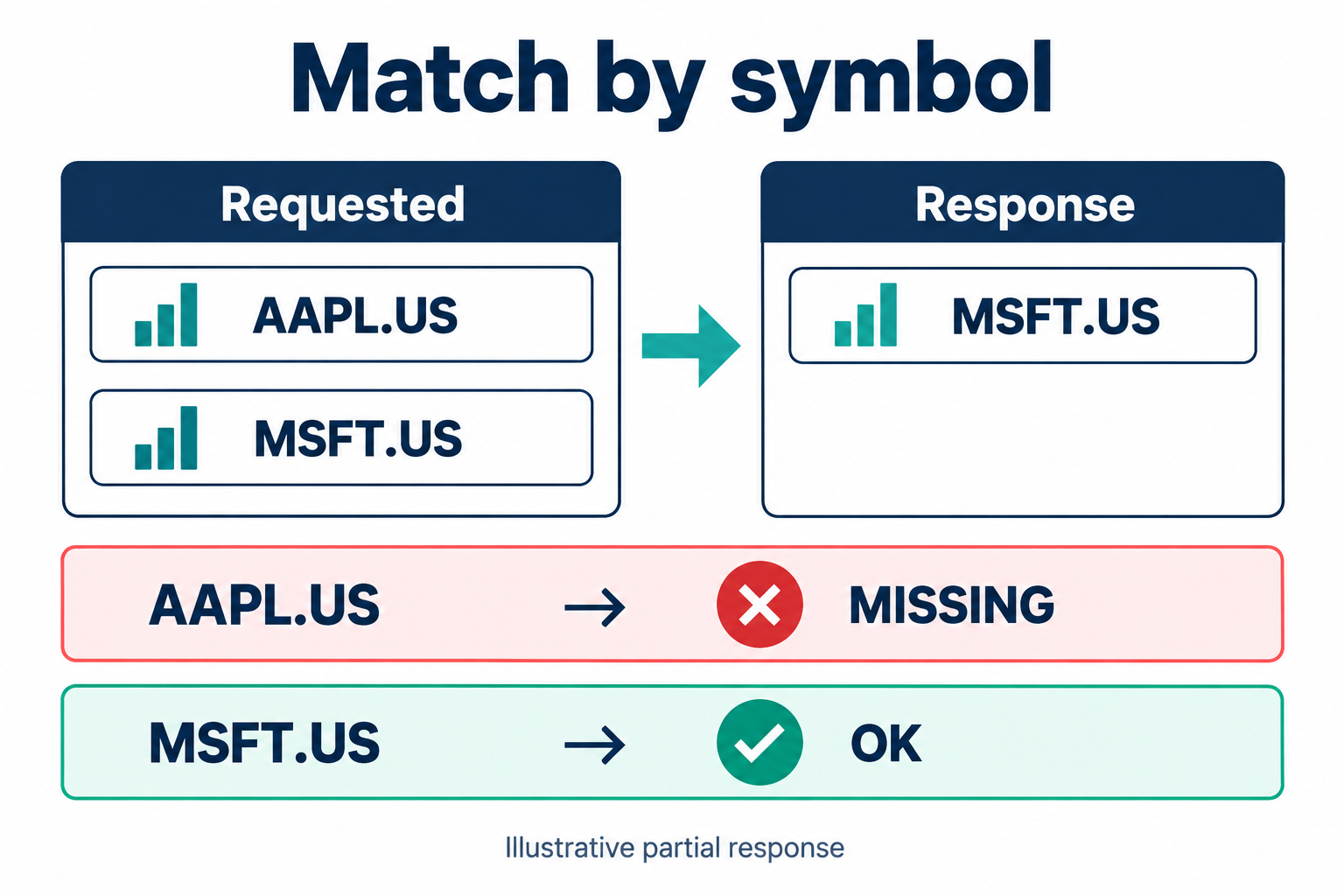
Figure 2. Illustrative partial-response case. The live request above returned both stocks; this diagram explains the application's missing-record behavior.
This approach preserves the requested display order and keeps an absent quote from becoming a zero price or being assigned to the wrong company. For this fixed-symbol tutorial, an unexpected symbol fails the batch. A larger application can quarantine the unexpected record and report a separate validation error.
5. Decide what happens after a failure
An authentication or permission failure needs a configuration check. Repeatedly sending the same request will not repair an invalid key or grant missing access. A rate-limit response needs a delayed retry; the example reports Retry-After when supplied and exits. A production scheduler should honor that instruction and bound its retry attempts. Timeouts and server failures also need explicit retry limits.
For a watchlist, preserve the last successful value with its original timestamp when refresh fails, and display the failure alongside it. Never advance the quote timestamp just because a refresh was attempted. A trading calendar and a session-specific freshness policy are needed before classifying an old quote as abnormal; this example does not implement those rules.
The integration is ready for its first UI when each requested stock has an explicit result, every displayed price retains its matching timestamp, and a failed request cannot silently become a fresh-looking quote. Those checks give a stock API response a clear meaning before the application adds polling, caching, or streaming.
Source basis: TickDB Quick Start, Ticker Snapshot, and Error Codes documentation, checked October 27, 2026; live ticker response retrieved on the same date.