Forex WebSocket API Tutorial: Stream EUR/USD and Check Quotes After Reconnecting
TickDB Research ·
Summary: For developers building an FX dashboard or price alert, a reopened connection is only part of recovery. The application also needs a valid quote for the right currency pair, a usable data timestamp, and a visible record of the interruption. This tutorial uses a real TickDB EURUSD stream to show the first subscription, a controlled disconnect, resubscription, and quote checks. The download includes the bounded Node.js runner, original messages, event logs, and an offline checker.
An FX dashboard can turn its connection indicator green while still showing the price saved before a disconnect. If an alert resumes at that point, it may be working from an old observation. The useful question is whether the application has received and checked another EURUSD quote.
Keep connection recovery and quote recovery as separate states. TickDB’s WebSocket ticker channel supplies the currency-pair updates; the client records their timestamps, subscribes again after reconnecting, and waits for a checked target quote before clearing its waiting state. We ran that sequence against the live service and saved the messages behind the results below.
The Federal Reserve lists its next FOMC meeting for October 27–28, 2026. Ahead of a scheduled policy window, checking how a monitor handles interrupted data is a practical preparation task. Federal Reserve meeting calendar
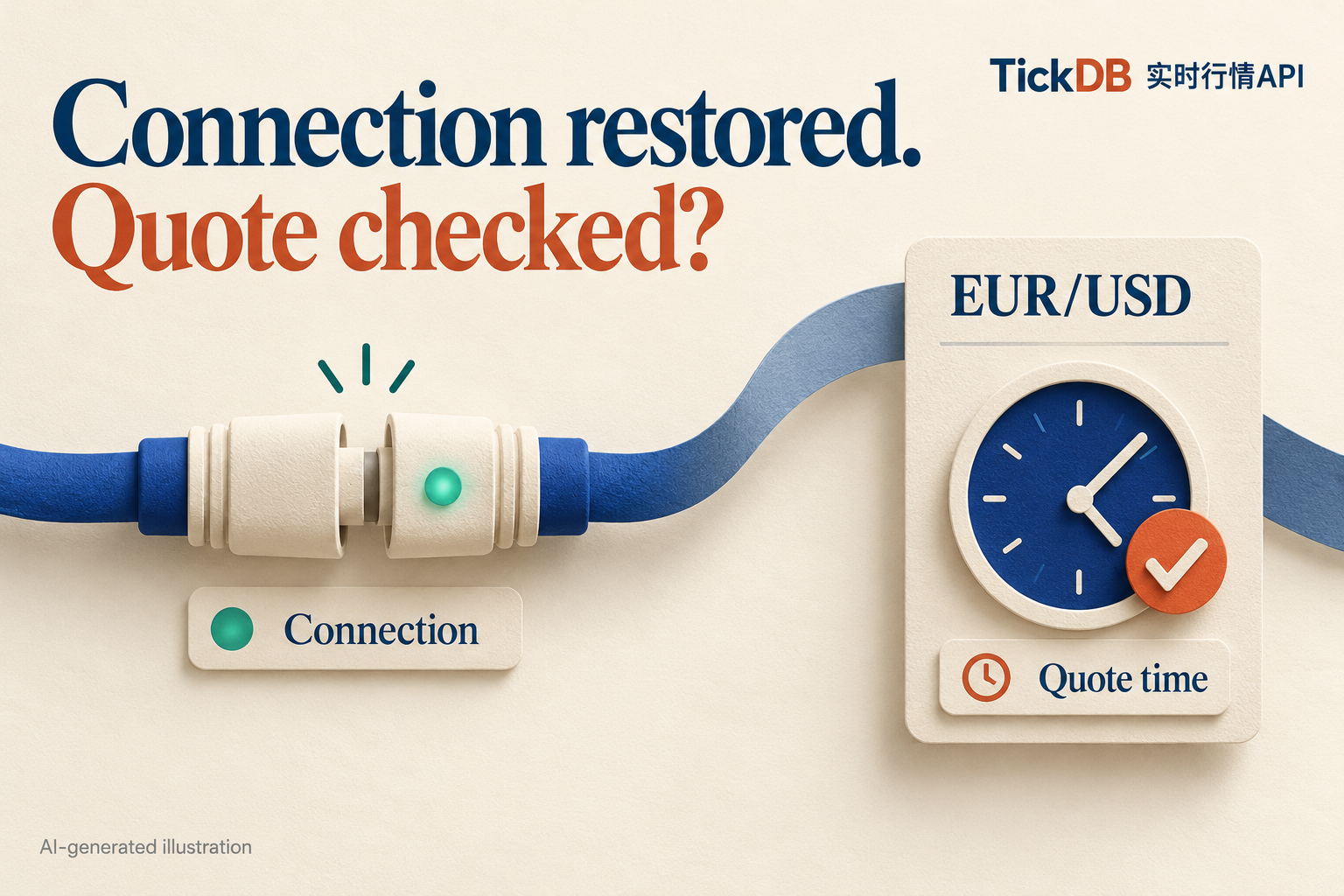
Figure 1. AI-generated concept illustration. Connection status and quote time answer different questions.
Start with one pair and one observable result
The recorded run on October 22, 2026 used EURUSD, Node.js 26.0.0, and ws 8.22.0. It received 62 accepted quote updates across two connections, including one client-controlled disconnect and recovery. The process ended after about 25 seconds; its hard runtime limit was 90 seconds.
Here is the recovery sequence from that final run. All times are UTC:
| Client event | Recorded time |
|---|---|
| Controlled disconnect requested | 13:57:39.322 |
| New socket opened | 13:57:42.018 |
| EURUSD subscription sent again | 13:57:42.018 |
| Subscription acknowledgement received | 13:57:42.381 |
Application pong received | 13:57:42.383 |
| First checked new EURUSD quote received | 13:57:42.509 |
The last quote before the disconnect was 1.11953. The first checked new quote after reconnecting was 1.11952, with a provider timestamp of 13:57:42.469Z.
The disconnect was deliberately requested by this test client. The log lets another developer inspect what happened between closing that connection and receiving the next checked quote.
Connect and send a ticker subscription
TickDB documents this WebSocket endpoint:
wss://api.tickdb.ai/v1/realtime
Authentication uses the api_key query parameter. Load the key from a secure local environment, keep the connection on your backend, and avoid logging the complete authenticated URL. TickDB connection practices
After each successful socket open, the runner sends:
{
  "cmd": "subscribe",
  "data": {
    "channel": "ticker",
    "symbols": ["EURUSD"]
  }
}
A new socket gets a new subscription. The client does not assume the previous connection’s subscription is still attached.
To reproduce the example, unpack the reader kit and install the locked dependency from its root:
npm ci --prefix attachments --ignore-scripts --no-audit --no-fund
Set TICKDB_API_KEY through your secure environment, then run:
node --use-system-ca attachments/stream_eurusd.cjs --out my_run
The recorded environment used the --use-system-ca flag. The output directory must not already exist. The runner saves its data there, performs one controlled disconnect after collecting an initial observation window, reconnects, and ends after observing recovery or reaching its limit.
Read a quote without losing its meaning
This is the first EURUSD ticker message saved in the final run:
{
  "cmd": "ticker",
  "data": {
    "symbol": "EURUSD",
    "type": "forex",
    "last_price": "1.11950",
    "bid_price": "1.11950",
    "ask_price": "1.11951",
    "spread": "0.00001",
    "timestamp": 1792677449581
  }
}
The provider timestamp converts to 2026-10-22T13:57:29.581Z. The client received this message at 13:57:29.745Z. Save both times: one describes the data, the other describes arrival at your client.
Keep the returned price strings in storage. Preserve bid and ask as separate fields when the application needs a two-sided quote. These ticker messages are quote updates; they should not be relabelled as executed FX trades. TickDB ticker channel
The same price can arrive with a newer timestamp
The saved stream contains this pair:
| Returned price | Provider time in UTC | Client receipt time in UTC |
|---|---|---|
| 1.11952 | 13:57:30.393 | 13:57:30.440 |
| 1.11952 | 13:57:30.481 | 13:57:30.527 |
The price is unchanged, but the provider timestamp advances. Their separate source and receipt times are retained in the log.
A test based only on whether the displayed number changed would miss this distinction. Track the messages and their data times alongside the price.
Reconnect first, then check the target quote
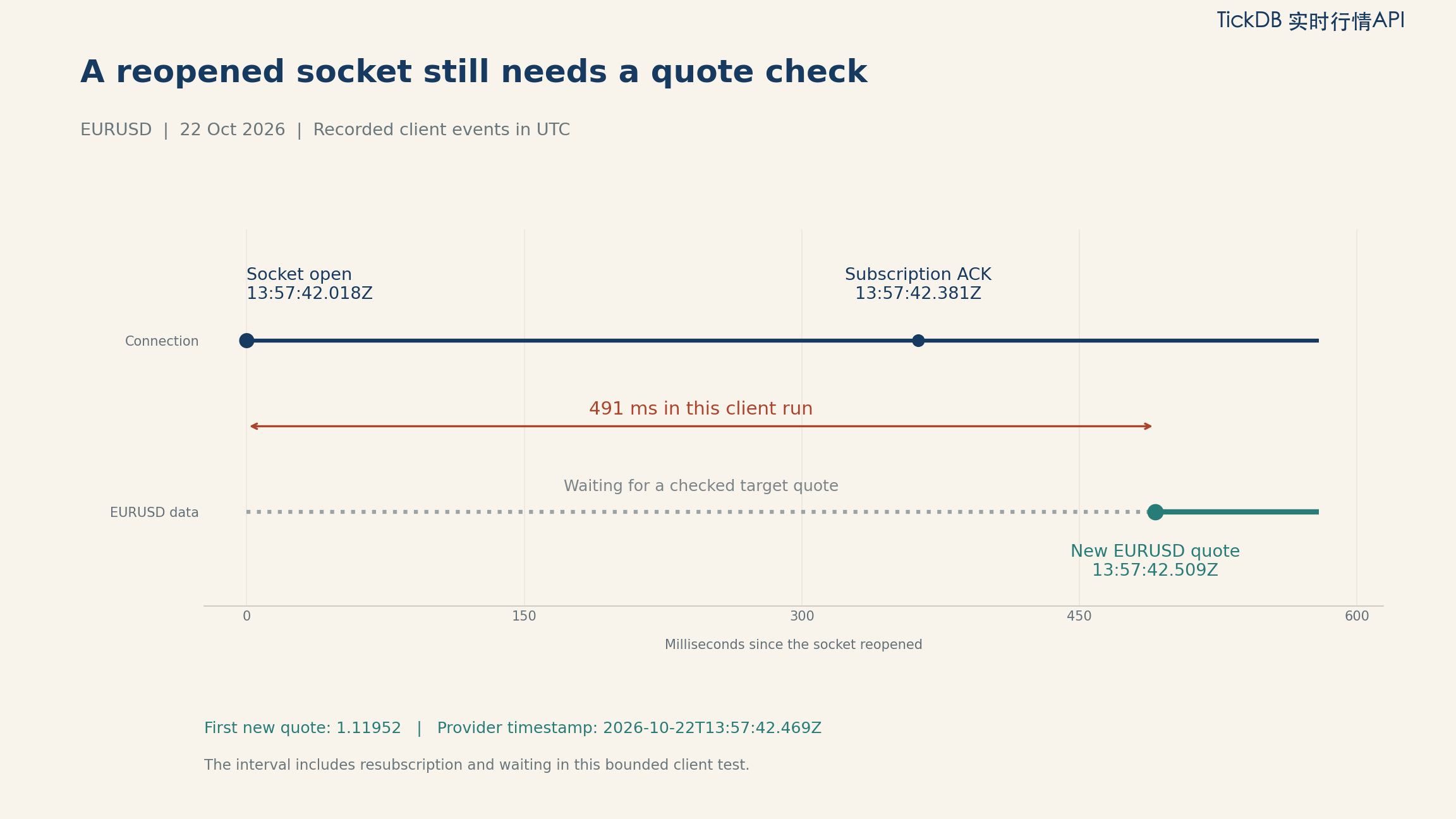
Figure 2. Deterministic rendering of the final client log. The 491 ms interval covers this client’s reopen-to-quote workflow, including resubscription and waiting.
On the second connection, the runner immediately entered waiting_for_target_quote. It sent the subscription, received the acknowledgement and an application pong, then received a EURUSD ticker message.
For recovery, this example checks that the message:
- belongs to
EURUSD; - contains a usable price and millisecond timestamp;
- has a provider timestamp newer than the last pre-disconnect quote;
- falls within the example’s configured age and clock conditions.
The first post-reconnect quote passed those checks. Its provider time was 13:57:42.469Z, and its client receipt time was 13:57:42.509Z.
A pong does not update the saved quote. WebSocket protocol Ping/Pong control frames and TickDB’s JSON ping/pong messages are separate mechanisms. The pong shown in this run is the application message; the quote still arrives through a ticker message. WebSocket protocol control frames, TickDB heartbeat documentation
Age the displayed data even when no quote arrives
A client that checks timestamps only inside its message handler has a blind spot: silence never invokes that handler.
The downloadable runner therefore also checks its display state on a one-second timer. While the socket is open, it can continue waiting for a target quote, identify a quote outside the configured age limit, or flag a source-clock condition that needs checking.
For this example, the age limit is five seconds, with a separate five-second tolerance for future source timestamps. These are application settings. Choose them for the dashboard or alert you are building, and review them against the feed’s behaviour and your clock setup.
The time difference between provider timestamp and local receipt also includes clock conditions and processing along the path. Use it as a diagnostic observation rather than a one-way network-latency measurement.
For the interface, keep the last known price visible with its time while recovery is pending. Change its status separately. This gives users more information than either silently freezing an apparently current price or replacing every interruption with an empty screen.
Follow the current retry rules
TickDB’s current connection guide uses staged waits: one second for retries 1–3, five seconds for retries 4–6, and 30 seconds thereafter. The sample follows those stages and sends a subscription after each open. Authentication or permission errors require attention instead of an endless retry loop. TickDB reconnect guidance
The sample also records a connection generation number. This stops a message from the pre-disconnect connection being mistaken for recovery on the next one.
Keep the interruption visible after updates resume
The CSV retains each quote’s connection generation, receipt time, provider timestamp, price, and state. The event log retains the controlled close, new connection, subscription, and first checked new quote.
That is enough to mark the interruption in a dashboard or downstream dataset. Resumed updates do not supply the missing intermediate path.
A difference between the last pre-disconnect price and the first post-reconnect price remains a difference between those two observations. What you cannot read from those endpoints is every intervening update, a precise threshold-crossing time, or a count of messages missed.
If the application needs historical bars, query and verify the relevant history separately. A bar is an aggregate over a period; adding bars does not recreate every quote update that the client did not receive.
Take the runner and inspect the saved evidence
The kit contains:
- the bounded Node.js runner and locked
wsdependency files; - the final run’s 68 original message envelopes, including 62 accepted quotes;
- the event log, quote CSV, and run summary;
- an offline checker and separate local rule tests.
You can check the saved evidence without connecting to TickDB or providing a key:
node attachments/check_saved_run.cjs evidence my_report.json
The saved sample produces:
{
  "status": "PASS",
  "quotes": 62,
  "raw_messages": 68,
  "local_open_to_quote_ms": 491
}
The checker matches quote rows back to original messages, verifies the CSV and event sequence, checks the resubscription acknowledgement, and locates the first newer quote after reconnecting. The output file must be new.
After installing the locked dependency, run the local rule tests with:
node attachments/test_quote_rules.cjs
Those tests cover cases such as a pong without a target quote, unchanged prices with newer timestamps, stale and future source times, replayed timestamps, and retry-stage boundaries. They are constructed test inputs, kept separate from the live feed evidence.
Frequently asked questions
What is the quickest way to start streaming EUR/USD?
Run the single-pair example first. Confirm the subscription acknowledgement and an actual EURUSD ticker message before extending the symbol list. Check current account access and symbol availability against the official documentation.
The socket reopened but no EURUSD quote arrived. What should I check?
Keep the waiting state. Inspect the subscription request, acknowledgement, returned symbol, server errors, and data timestamps. A control message or another pair’s quote should not clear the target pair’s warning. The bounded runner ends with RECOVERY_NOT_OBSERVED if it never records the required recovery quote.
When should I add REST queries or historical data?
Add them when the application needs a separate current-state reference or a verified historical window. Give those results their own timestamps and purpose. Preserve the WebSocket interruption rather than treating a successful query as a reconstruction of the missing stream.
Finish with a visible recovery decision
A useful Forex WebSocket integration lets a developer explain three things: what the client subscribed to, what quote it received, and why the application changed its displayed state.
In this run, the second socket opened, the client subscribed again, and a newer EURUSD quote passed the configured checks. The raw messages and event log preserve that sequence for review.
Run the same bounded test for your target pair. Check the connection indicator and the price timestamp together before allowing a dashboard or alert to resume normal operation.
Recorded on October 22, 2026. Prices illustrate data handling and are not investment advice.
Sources and materials
- TickDB: connection and reconnect practices, ticker channel, and heartbeat messages.
- IETF: RFC 6455, WebSocket Ping/Pong control frames.
- Federal Reserve: FOMC meeting calendar.
- Recorded run and runnable materials: original messages, events, CSV, scripts, and verification instructions.